Blog · guide
Type a line, get a diagram: the sketch line explained
How Diagramly's text-to-diagram syntax works. Arrows, labels, branches, decisions and shape prefixes, with examples you can paste straight into the canvas.
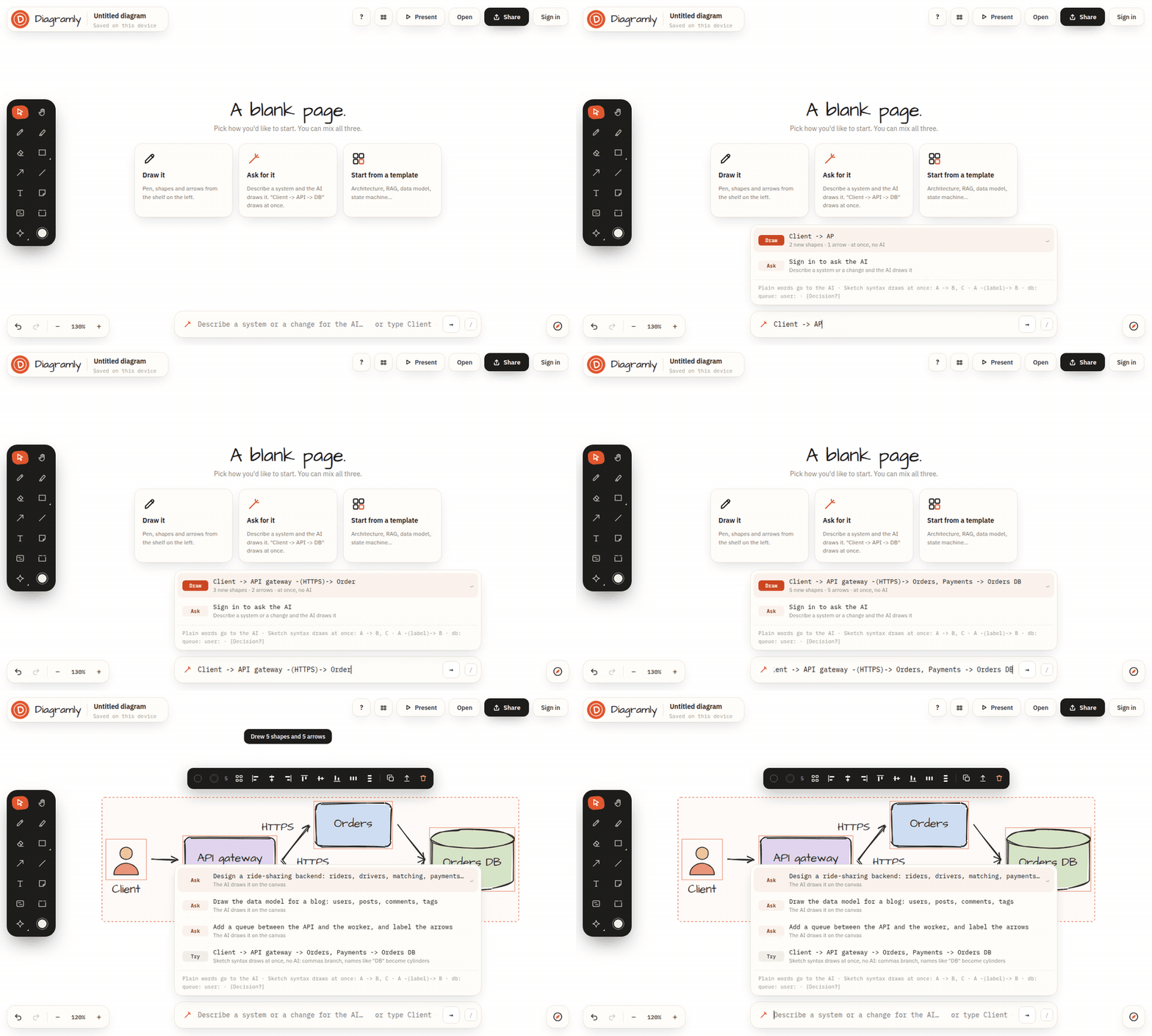
The sketch line is the text box at the bottom of the canvas. Press / to jump into it, type, press Enter, and the diagram is drawn and laid out for you. It's a tiny language, and this is all of it.
Arrows
Two names and an arrow between them: two shapes, connected. Chain as many as you like. A name that appears twice points at the same box, so you can describe a diagram in several short statements.
A plain line without an arrowhead is two dashes:
Labels on arrows
Put the label between the dashes, in parentheses. I use this for protocols, events and timing.
Branches
A comma after an arrow fans out to several targets, and you can keep chaining after the fan. This one line is my favourite demo:
Decisions
Wrap a question in braces and you get a diamond:
Shapes pick themselves
You rarely have to say what shape something is. If a name contains DB, database, store, warehouse, Postgres, MySQL, Mongo or DynamoDB, it's drawn as a cylinder. If it contains queue, Kafka, SQS, bus, stream or topic, it's a queue. For everything else, a prefix sets the shape:
| Prefix | Draws |
|---|---|
db: or cylinder: |
a database |
queue: |
a queue |
user: |
a person |
note: |
a sticky note |
card: |
a card with a title |
box:, pill:, circle:, diamond: |
that shape |
frame: |
a frame around what follows |
icon: |
an icon from the library |
text: |
plain text, no box |
Finding your way with the same box
Type a name that's already on the canvas, with no arrow, and the camera flies to it. On a big diagram that's the fastest way to get somewhere.
Direction
The small button next to the sketch line switches the layout direction for typed diagrams: left to right for architecture, top to bottom for flowcharts.
It's all just shapes afterwards
Everything the sketch line draws is an ordinary shape. Drag it, recolour it, give it a replica count, put it in a frame, delete it. And if the layout isn't what you meant, ⌘Z brings the previous sketch back.
Three lines to paste
Browser -> CDN -> Load balancer -> API, Auth -> Users DB
Order placed -> {In stock?} -> Charge card, Back-order -> Confirmation email
Sensor -(MQTT)-> Broker -> queue: Readings -> ETL -> db: Warehouse -> Dashboard
Paste any of them, press Enter, and you've got something to share before the kettle boils.