Blog · guide
Publish a diagram as a page, embed it anywhere, and keep every version
How Diagramly Pro publishes a diagram to its own public page, embeds it live in Notion or a blog, and keeps a version history you can restore from.
A diagram that lives inside a tool is only useful to people who open the tool. These three features are about getting it out: as a page people can find, as a live embed in the docs you already write, and with a history so nothing you drew is ever lost.
Publish: a page of its own
Open Share → Publish, give it a title and a sentence of description, and press Publish.
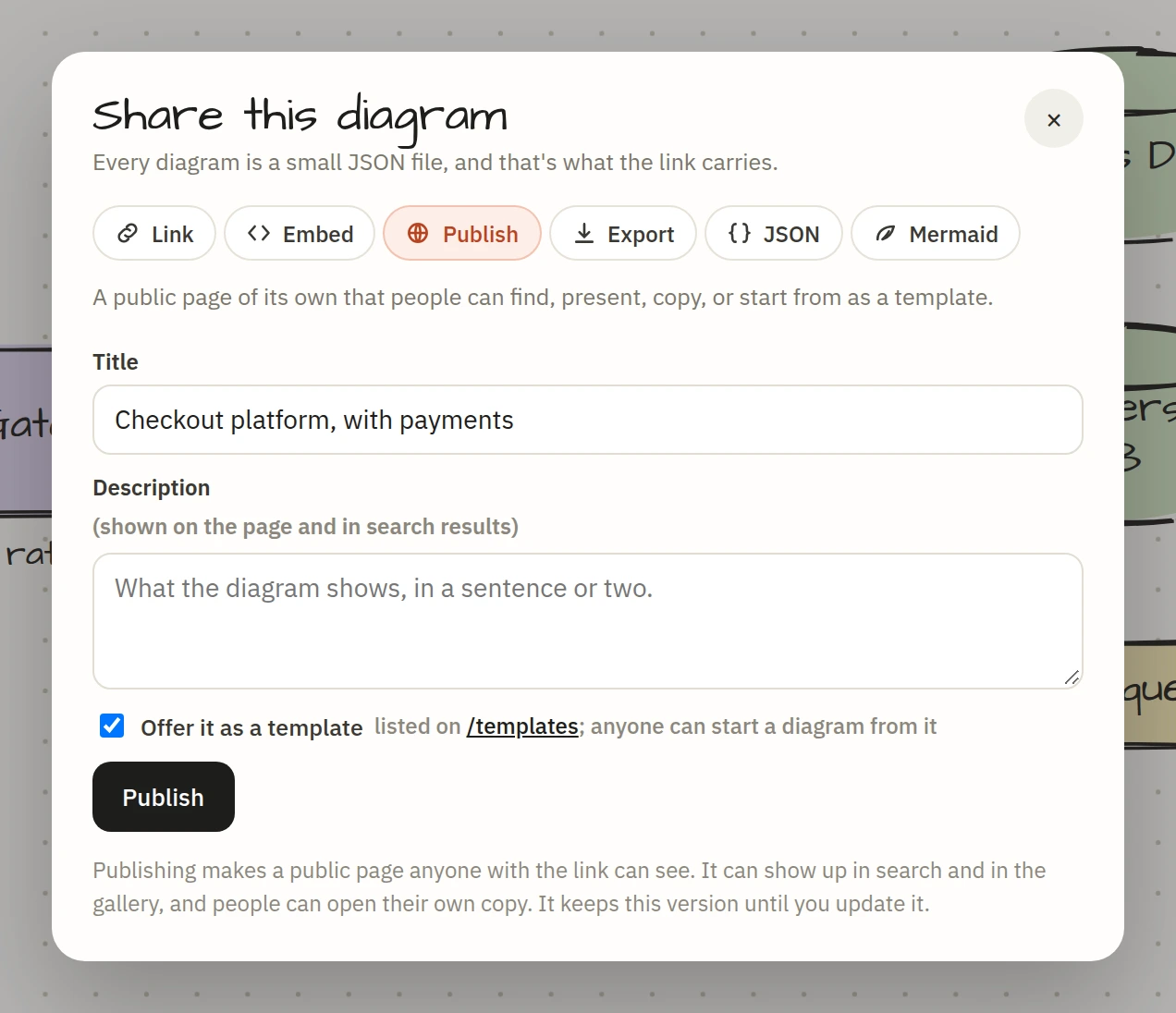
A few seconds later you have a page at diagramly.xyz/d/your-title-xxxxxx.
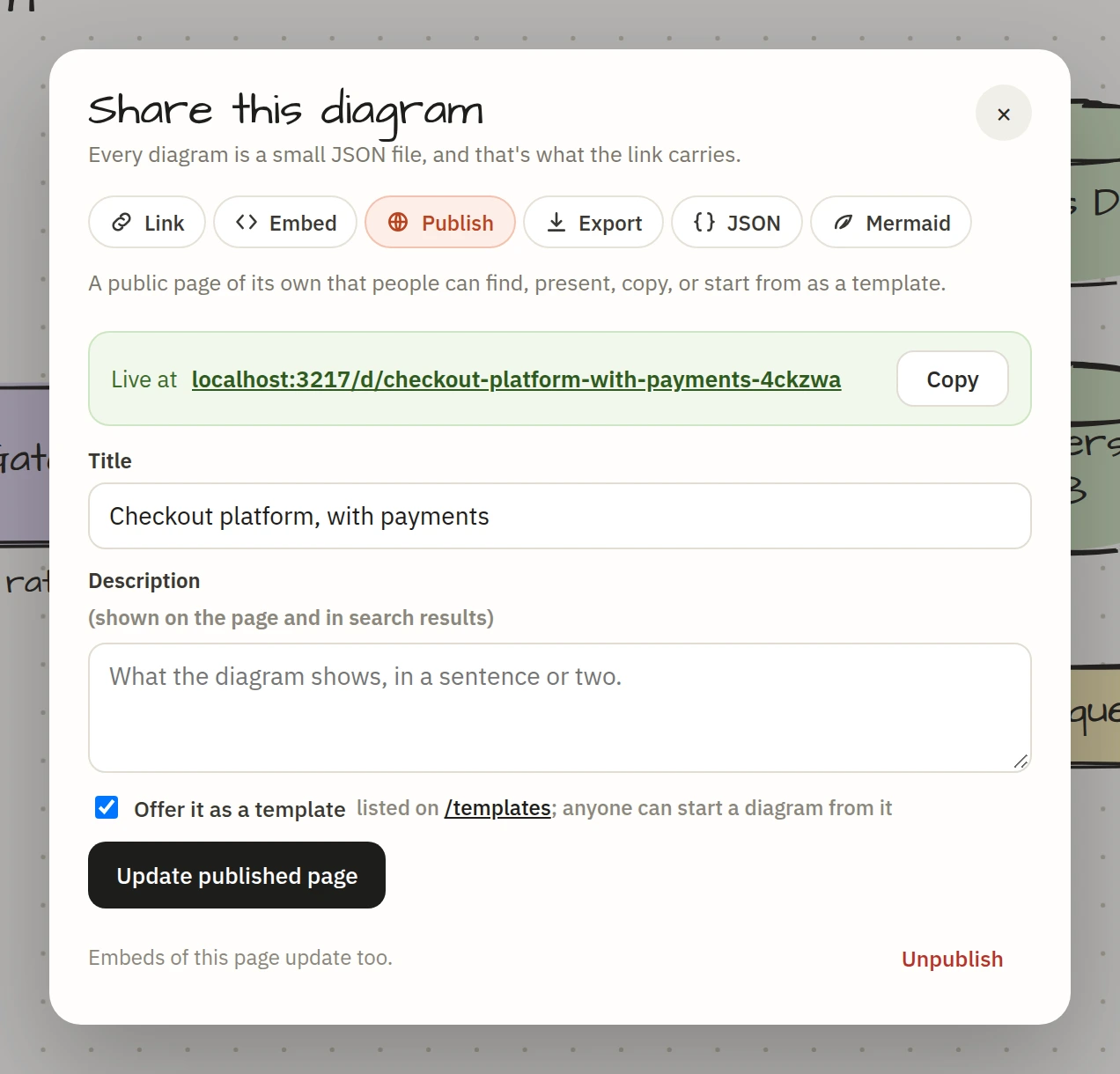
The page is rendered on the server, so search engines read it properly: the title, the description, the words in the diagram, and structured data describing it. Paste the link into Slack, X or LinkedIn and it unfurls with a picture of the diagram.
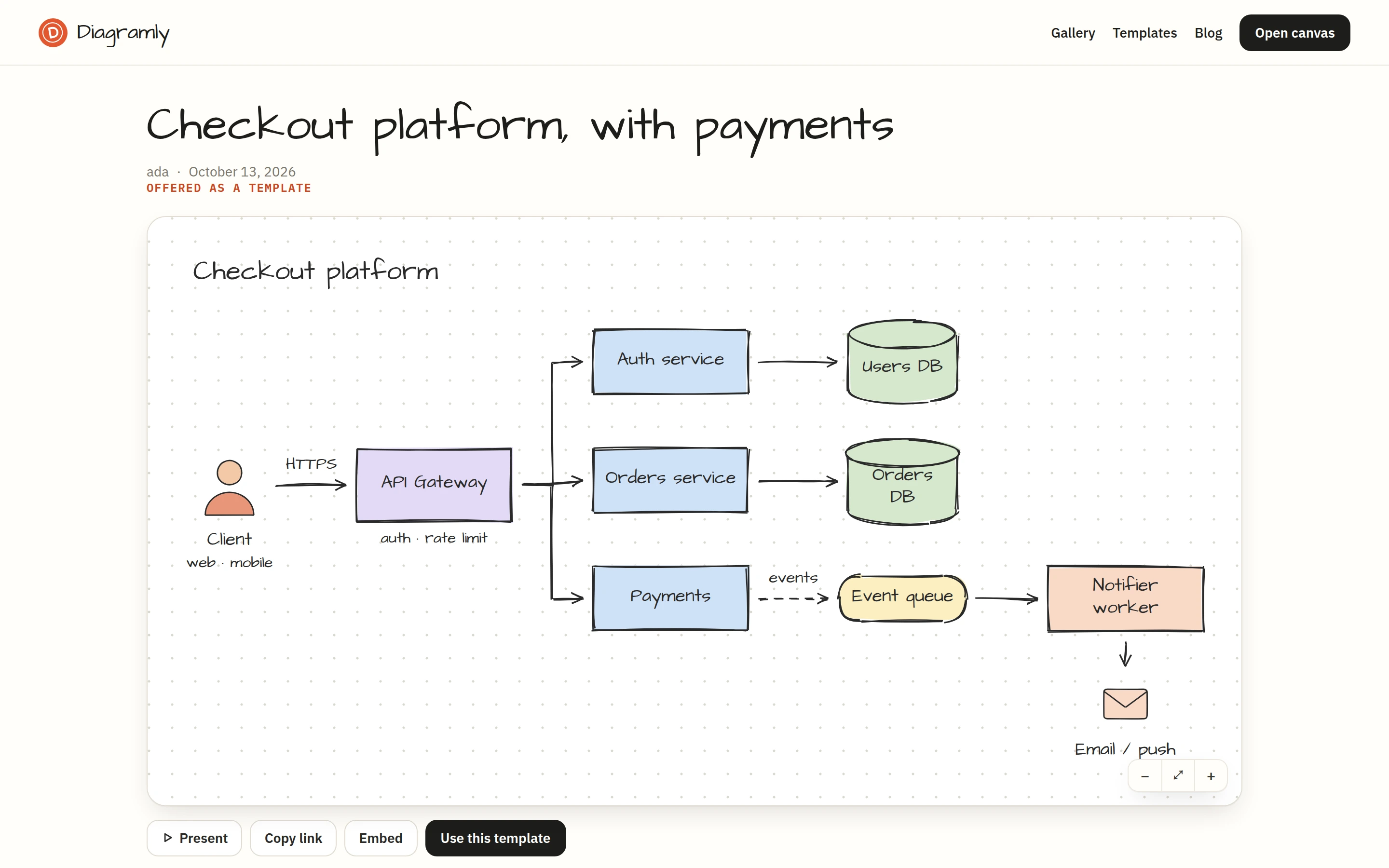
Publishing takes a snapshot. Keep editing and the page stays as it was until you press Update published page; the sheet tells you when the canvas has drifted from what's live. Unpublish takes it down straight away.
Embed: the diagram inside your docs
Share → Embed gives you an iframe snippet for Notion, Confluence, Ghost, WordPress, or anything that takes HTML. Pick a height, choose whether to show a caption link under it, paste.
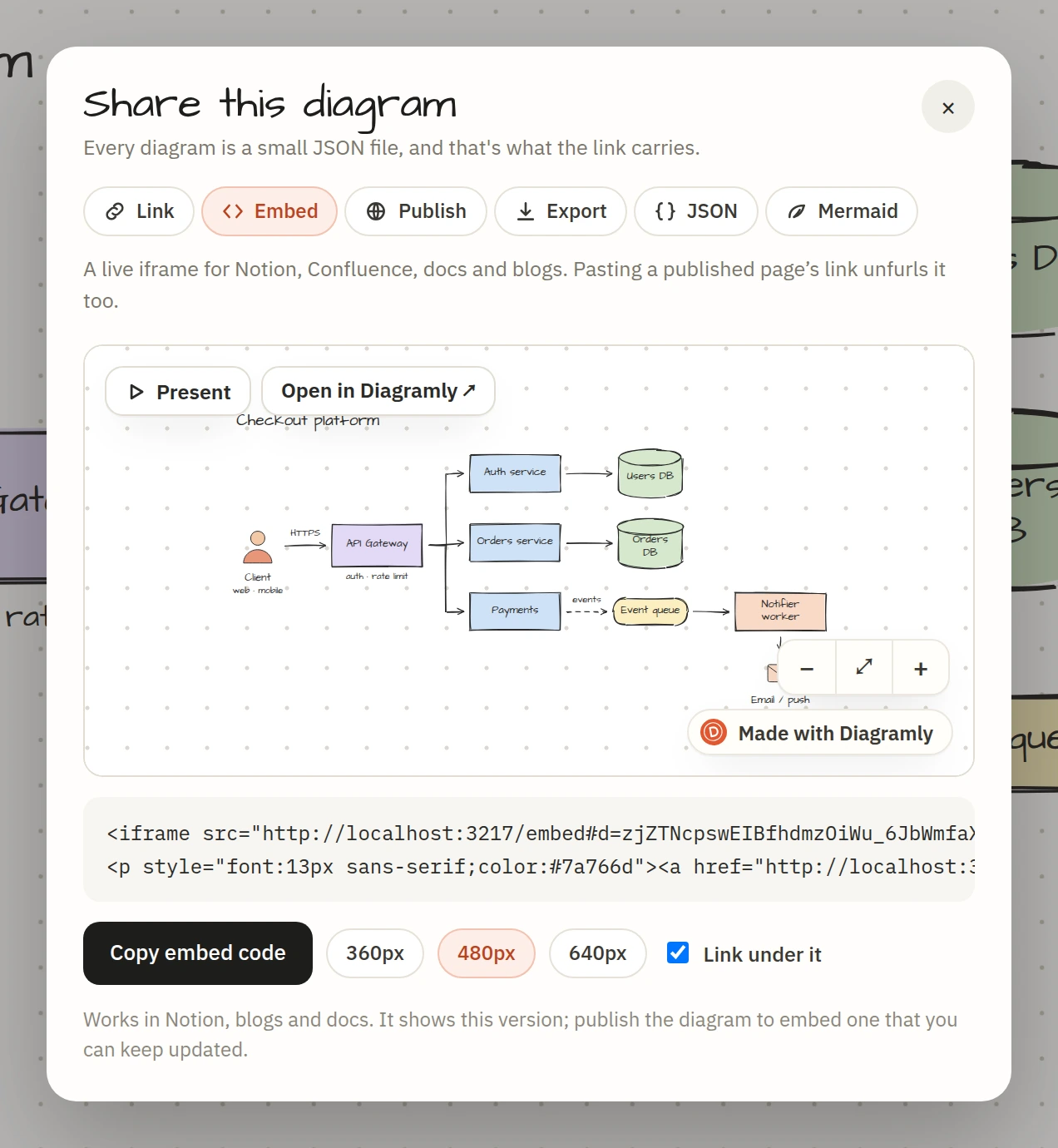
The embed is live: readers pan, zoom and press Present inside your page. If the diagram is published, the embed shows the published version and updates with it. If it isn't, the diagram travels inside the embed URL and shows that version.
Version history: every state, kept
With Pro, a snapshot is saved when an editing session starts and then every ten minutes while you work. The clock icon in the header opens them, grouped by day.
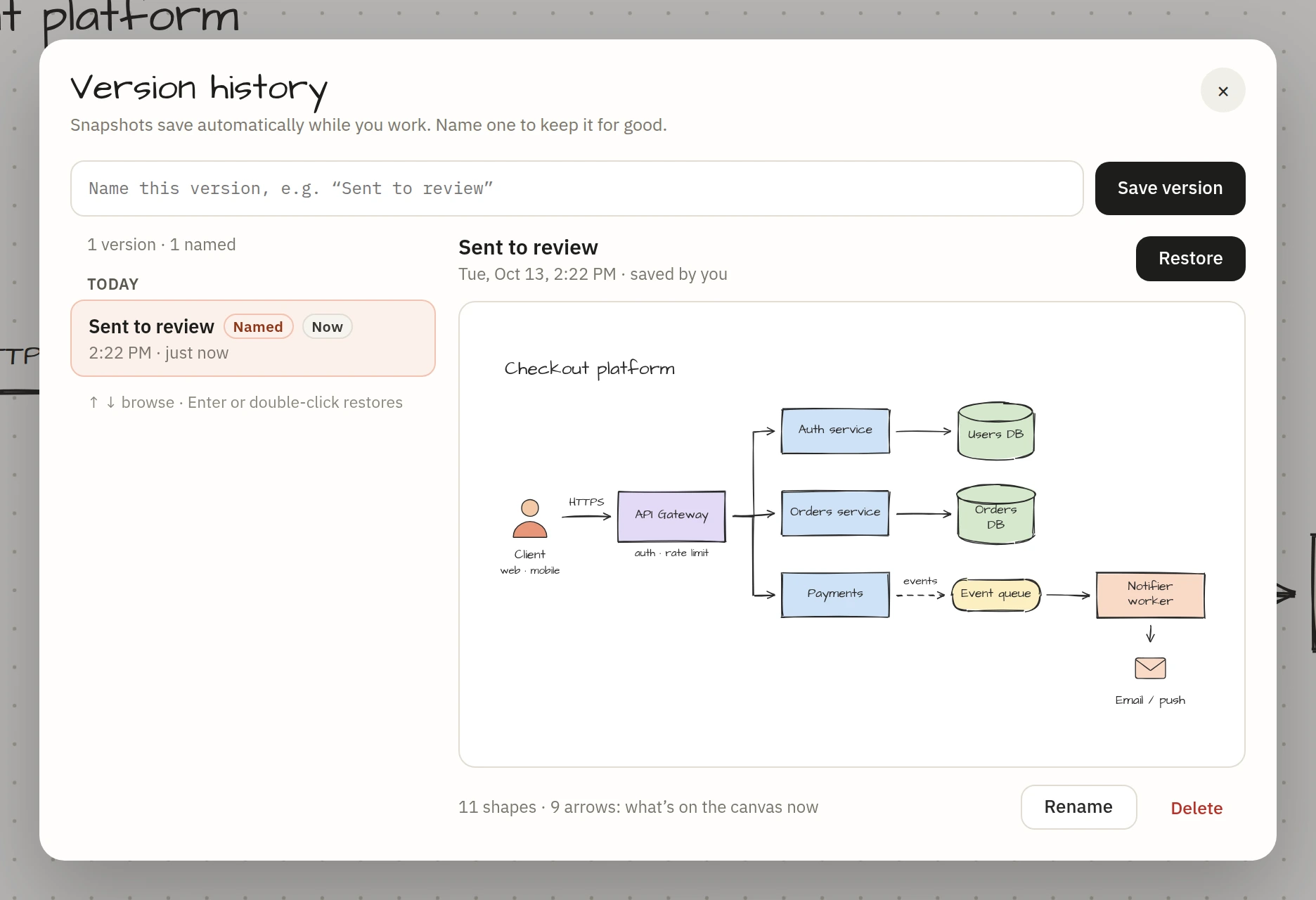
Pick a version and you see a preview, when it was saved, and how it compares to the canvas. Restore puts it back as one undoable step, and the state you're leaving is kept as a version first, so nothing is lost in either direction. ↑ and ↓ walk the list; Enter restores.
And your profile
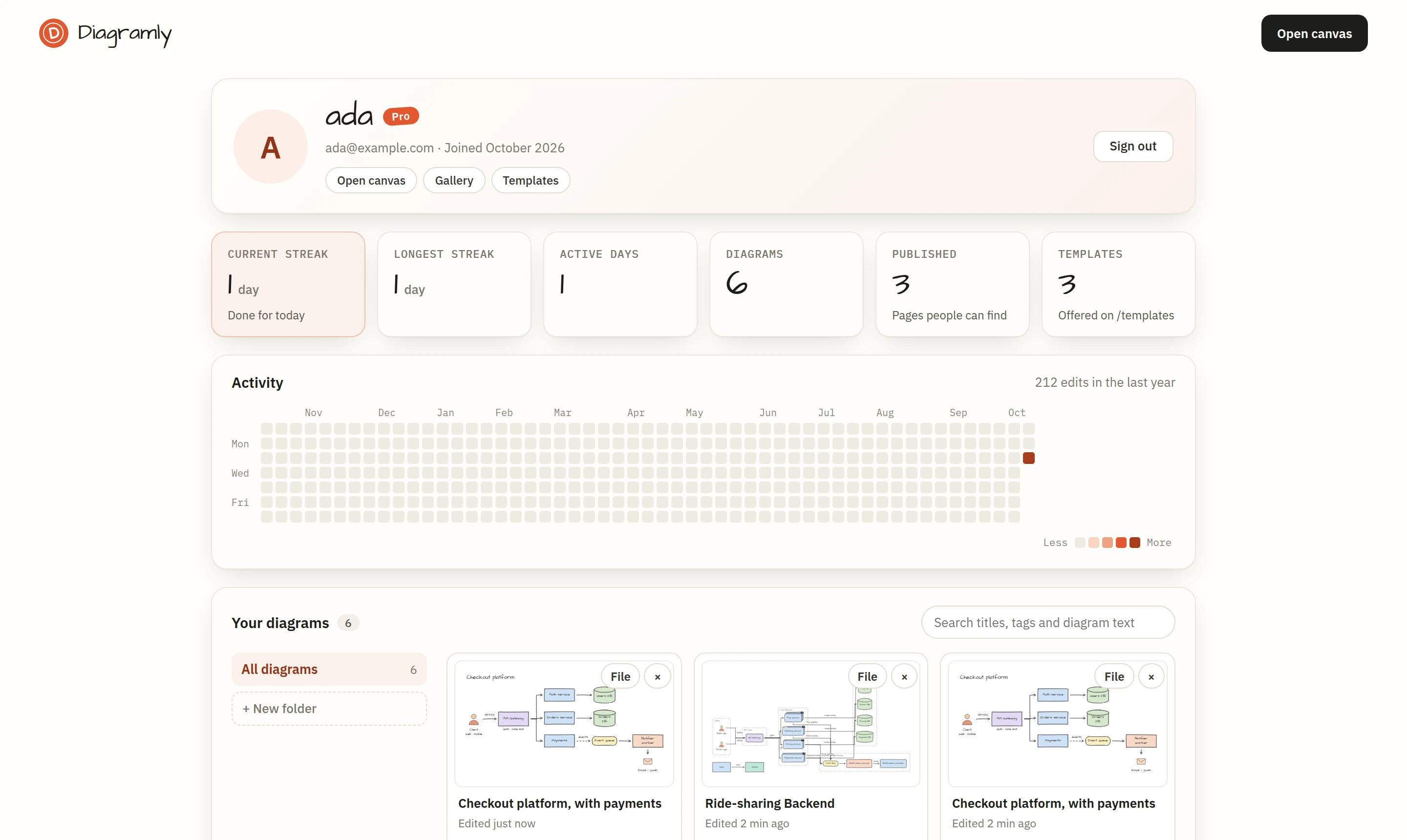
Everything you've saved is on your profile, with folders, tags and search. It also shows your streak: a heatmap of the days you drew something. I didn't expect that to be motivating. It is.
Free and Pro
Sign in with Google and the free plan keeps ten diagrams in your account. Pages you've already published stay up, and versions you already have stay readable. Pro, at $6 a month or $48 a year, makes diagrams unlimited and turns publishing, updating and version history on.