Blog · release
Describe a system and the AI draws it, then Tidy lays it out
Diagramly now draws from a sentence, edits on request, lays a messy diagram out in one click, routes arrows around shapes, and lets Pro users share templates.
A system design diagram usually starts as a sentence: "an API gateway in front of three services, a queue, and the databases." Diagramly now takes that sentence. Type it in the sketch line and the diagram draws itself, labelled and grouped into sections. Ask for a change and it edits what is there instead of starting over.
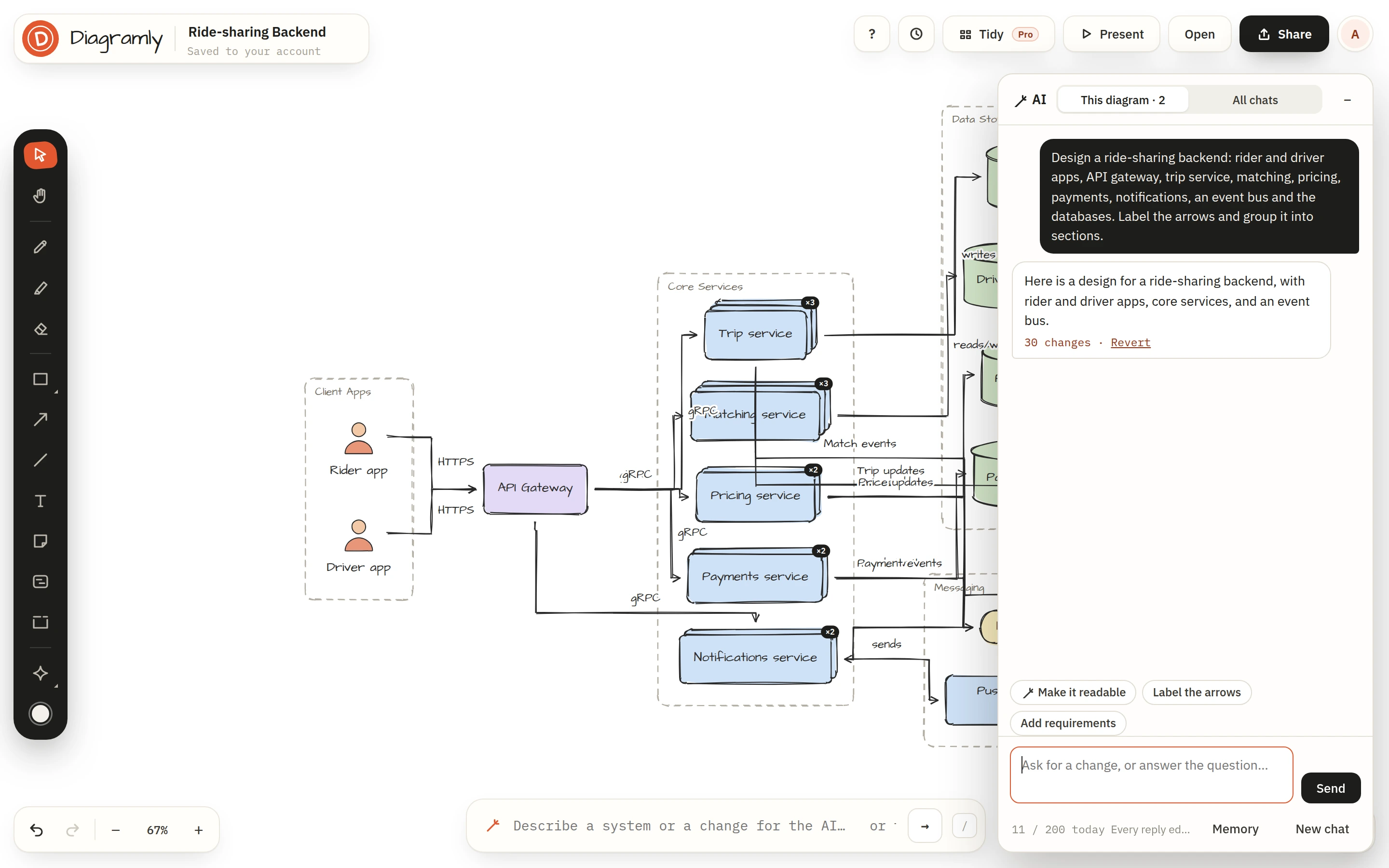
Say it in the sketch line
Press / and write what you mean in plain words. Anything that is not sketch syntax (A -> B still draws instantly, for free) goes to the AI. A panel slides in on the right with the conversation; every shape, arrow, label and section lands on the canvas as the reply streams, so you watch it build rather than wait for it.
Each reply is one undoable step. ⌘Z takes back one change, and Revert under a reply takes back the whole thing.
Ask for changes, not redraws
The AI sees the diagram on the canvas with every request, so follow-ups edit in place:
- "Add a Redis cache between the API and the orders database."
- "Make the matching service three replicas and colour the data stores sage."
- "Label every arrow with the protocol."
- "Put the requirements in a checklist next to the gateway."
It also answers questions about the diagram without touching it, asks when a request is too thin to draw well, and remembers what you tell it about your stack across conversations. You can read and clear that memory from the panel.
One conversation per diagram
The chat belongs to the diagram. Open the diagram on another device and the conversation is there, so the context is ready to continue. All chats in the panel lists every diagram's conversation; opening one brings that diagram onto the canvas.
Tidy: a clean layout in one click
Big diagrams turn into a mesh. Tidy in the header (or ⇧T) lays the whole diagram out section by section, so frames never overlap and arrows cross as little as possible. Select a few shapes first and it tidies just those, where they are.
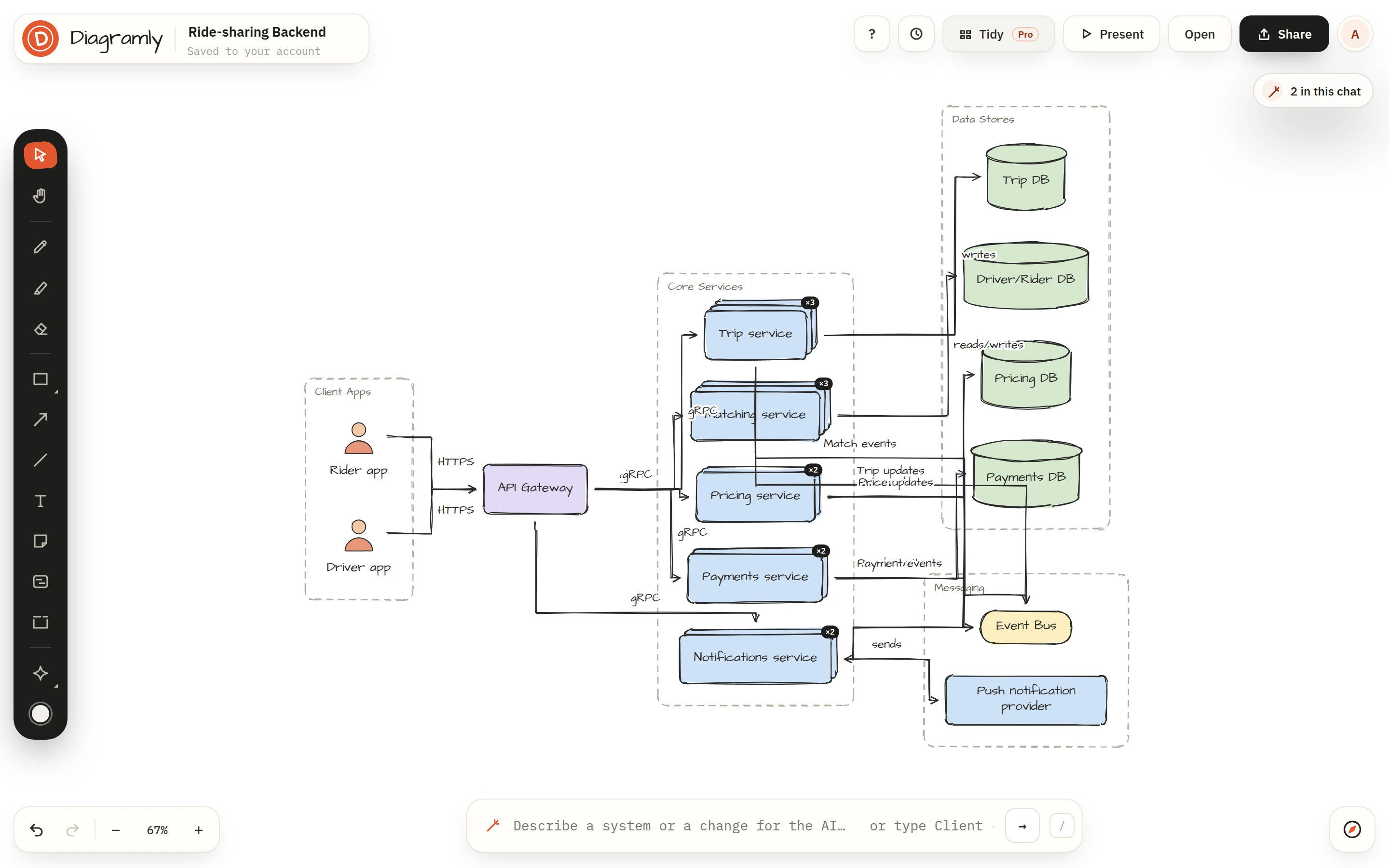
Tidy also switches the arrows to smart connectors, which route around shapes instead of through them. You can set that per arrow from the floating toolbar (straight, curve, elbow, smart) on any diagram.
In the AI chat, Make it readable does the same job with more judgement: it regroups by layer, labels what is unlabelled, colours by section, moves details into blocks and arranges the result.
Templates from other people
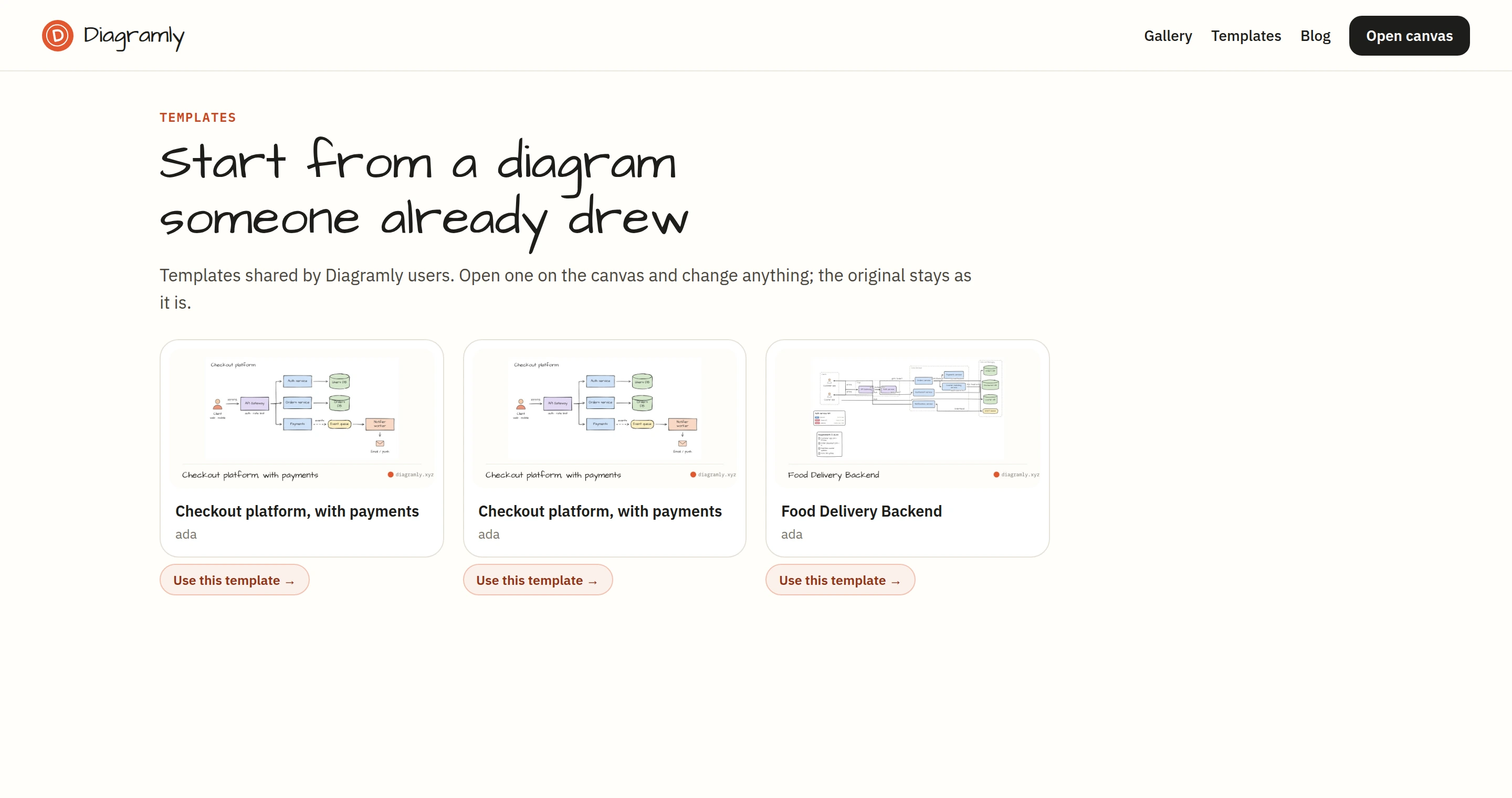
A published page can now be offered as a template. Tick Offer it as a template in Share → Publish and it appears on /templates, where anyone can open a copy on their canvas with one click. The original stays as it is.
Published pages also answer oEmbed now. Paste a page's link into Notion, Confluence or WordPress and it unfurls into the live diagram, with no embed code to copy.
Free and Pro
The AI chat is free with 10 messages a day; Pro has 200. Tidy, publishing and offering templates are part of Pro, at $6 a month or $48 a year. Using a template, embedding a page and the sketch line stay free for everyone.