Blog · release
Export a diagram as PDF, a slide deck, or a GIF of it drawing itself
Diagramly now exports PDF for everyone, and for Pro a 16:9 slides PDF plus an animated GIF or MP4 of the diagram sketching itself in, made for feeds.
The Share sheet's Image tab is now called Export, and it does a lot more than PNG and SVG. Here's a look at what's in it, and the one I'm most pleased with.
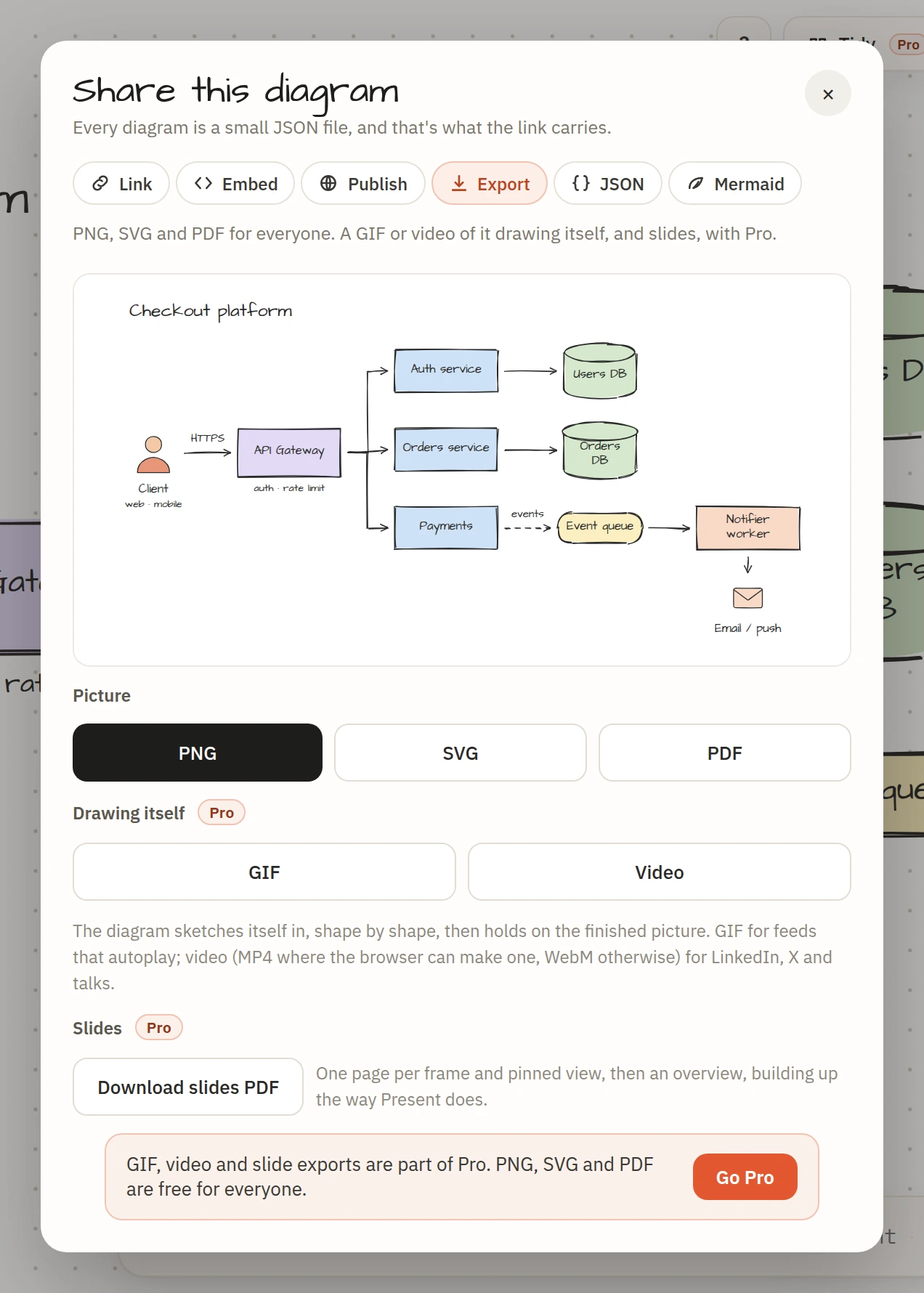
Still pictures: PNG, SVG and PDF
These three are free for everyone.
- PNG at double resolution, for chat, slides and anywhere a picture goes.
- SVG with the fonts embedded, so it looks the same on a machine that doesn't have them. It scales to any size and opens in Figma or a browser.
- PDF, new: the whole diagram on one page at its natural size, rendered at 2× so it prints cleanly. For design docs and anything that gets attached to an email.
All of it is made in your browser. Nothing is uploaded.
The diagram drawing itself
This is the one. A hand-drawn diagram already stands out in a feed. A diagram that draws itself stops the scroll. Here's a real export, straight from the GIF button:

- GIF: 800 pixels wide, 20 frames a second, about five seconds, looping. For places that autoplay GIFs: GitHub READMEs, Slack, Notion, X.
- Video: 1280 pixels wide at 30 frames a second. Chrome and Safari make an MP4; Firefox makes WebM. For LinkedIn, X, and inside a talk.
Both use the same choreography as Present mode, and the colours come from the finished diagram so nothing shifts while it builds. Rendering happens in the browser with a progress bar. Video takes a little longer than GIF, because browsers can only record in real time: the frames are rendered first, then played back into the recorder.
Slides: one page per frame
If you present a diagram with Present mode, the slides PDF gives you the same presentation as a file: a 16:9 page for every frame and pinned view, then an overview, each page showing what would have been drawn by then, with the slide's name and number in the corner. Send it to the organisers or keep it as the handout.
Which one when
| You want to | Export |
|---|---|
| Paste a picture into a doc or chat | PNG |
| Edit it elsewhere or scale it up | SVG |
| Print it or attach it | |
| Post it on GitHub, Slack or X | GIF |
| Post it on LinkedIn or put it in a talk | Video |
| Hand out the presentation | Slides PDF |
Free and Pro
PNG, SVG and PDF are free. GIF, video and slides are part of Pro, along with unlimited saved diagrams, version history and publishing, for $6 a month or $48 a year. The buttons check your plan with the server when you press them, so there's nothing to set up: if you're on Pro, they just work.