Blog · release
Comment on a diagram: pin a thread to a shape, then resolve it
Pin a comment thread to any shape or spot on the canvas, reply in place and resolve it when it is settled. Reviewers comment without changing the diagram.
Reviewing a system architecture diagram usually happens somewhere else: a chat thread that says "the box on the left", a document nobody links back to, a call where the decisions are forgotten by Friday. Comments put the discussion on the diagram itself, pinned to the shape it is about, and keep it there until someone marks it done.
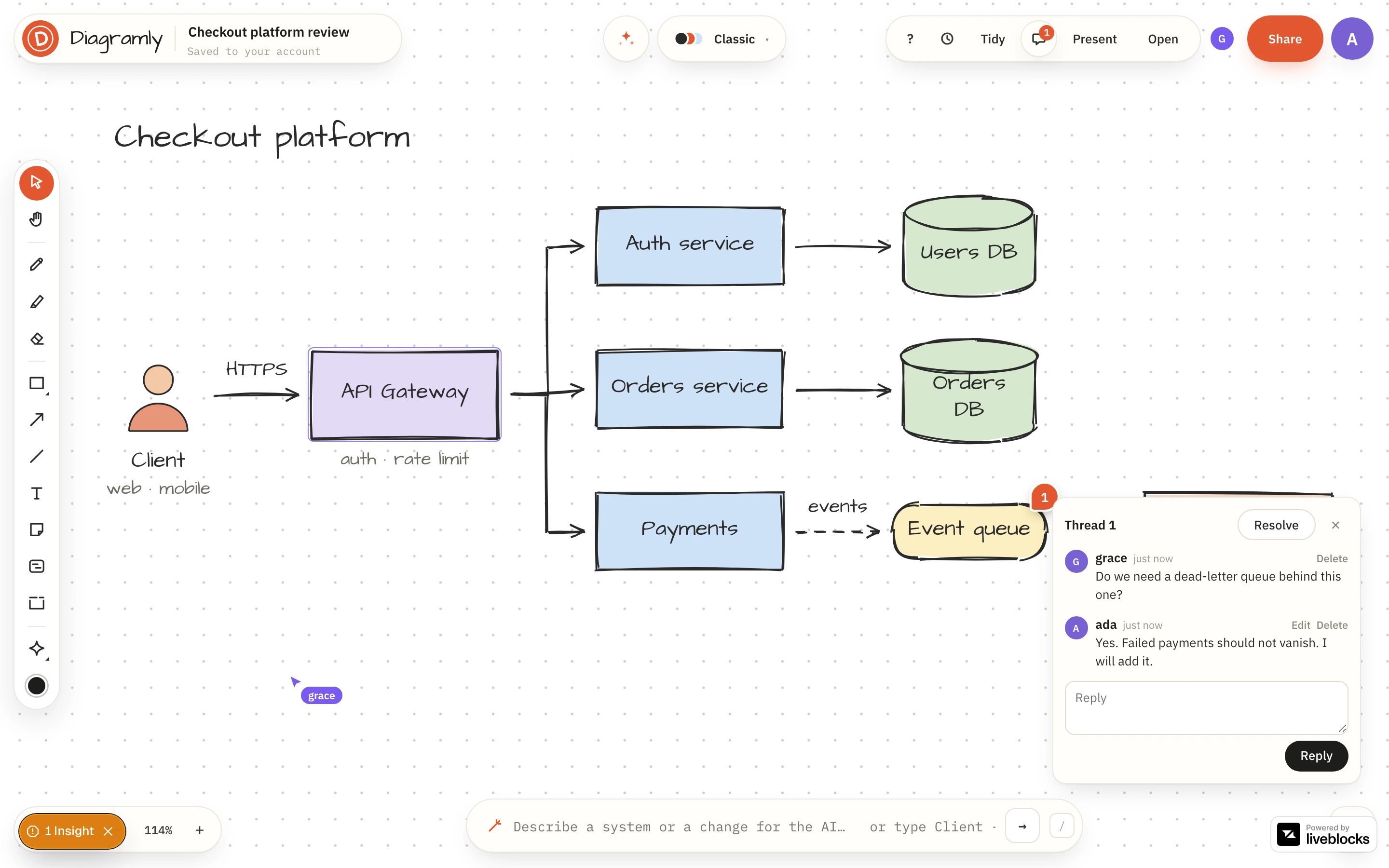
Pin a comment to a shape
Open Comments in the header and press Add comment. The pointer turns into a crosshair: click the shape the comment is about, or an empty spot on the canvas for a general note. Type your comment and press Enter (Shift+Enter starts a new line). A numbered pin appears where you clicked.
A pin on a shape follows the shape. Move the database across the canvas, or let Tidy rearrange everything, and its threads go with it. If the shape is deleted, the thread is kept and its pin stays where it was, with a note saying the shape is gone, so a decision is never lost with the box it was about.
Reply, resolve, reopen
Click a pin to open its thread. Reply at the bottom; everyone else with the diagram open sees it straight away.
When the point is settled, press Resolve. The pin leaves the canvas so only open questions are in view, and the count on the Comments button drops. Resolved threads are not deleted: tick Show resolved in the list to see them, and press Reopen if the question comes back.
The list under Comments shows every thread with who started it and how many replies it has. Click one and the canvas flies to its pin.
Who can do what
Comments follow the roles of a shared diagram:
| Role | Comments |
|---|---|
| Owner, Can edit, Can comment | Start threads, reply, resolve and reopen |
| Can view | Read every thread |
That is what the comment link is for. Send it to the people whose opinion you want, and they can question every arrow without being able to move one.
A few rules keep a thread trustworthy:
- You can reword or delete your own comments. An edited comment says so.
- Nobody can change someone else's words, the diagram's owner included.
- The owner can delete any comment. Whoever started a thread can delete the whole thread.
- Resolving is recorded under the name of the person who did it.
Comments stay out of the diagram
A comment is stored beside the diagram, not inside it. It is not part of the document, the undo history or a saved version, and it never appears in a share link, a PNG, SVG or PDF export, a published page, an embed or a presentation. You can review in the open and still hand over a clean diagram.
Free and Pro
Comments on your own diagrams are free: use them as notes to yourself. Discussing a diagram with other people needs it to be shared, and sharing is part of Pro, $6 a month or $48 a year. The people you invite comment for free.
Open a diagram, press Comments and pin the first question.