Blog · release
Skins restyle any diagram, from hand-drawn to neon
24 looks under one switch, from hand-drawn to SaaS cards to neon tubes. One click restyles every shape, arrow, label and icon, exports included.
The same system architecture diagram has to work in a design review, on a slide at a meetup, in a README and on a dark dashboard. Redrawing it four times is how people end up with four diagrams that disagree. A skin changes how the diagram looks without touching what it says, so one drawing can wear whichever look the room needs.
What a skin changes
Everything you can see and nothing you typed. The paper and its texture, the fonts, the stroke (ruler or pen), how a box is filled and outlined, its corner radius, shadows and glows, where icons sit, what arrows and their heads look like, how labels, badges, frames and sticky notes are drawn, and the eleven palette colours your document names. Documents keep saying fill: sky and fill: sage; the skin decides what sky and sage mean today. That is why any diagram works in any skin, including the cheat sheets with their tables, checklists and flows.
Twenty-four looks under one switch
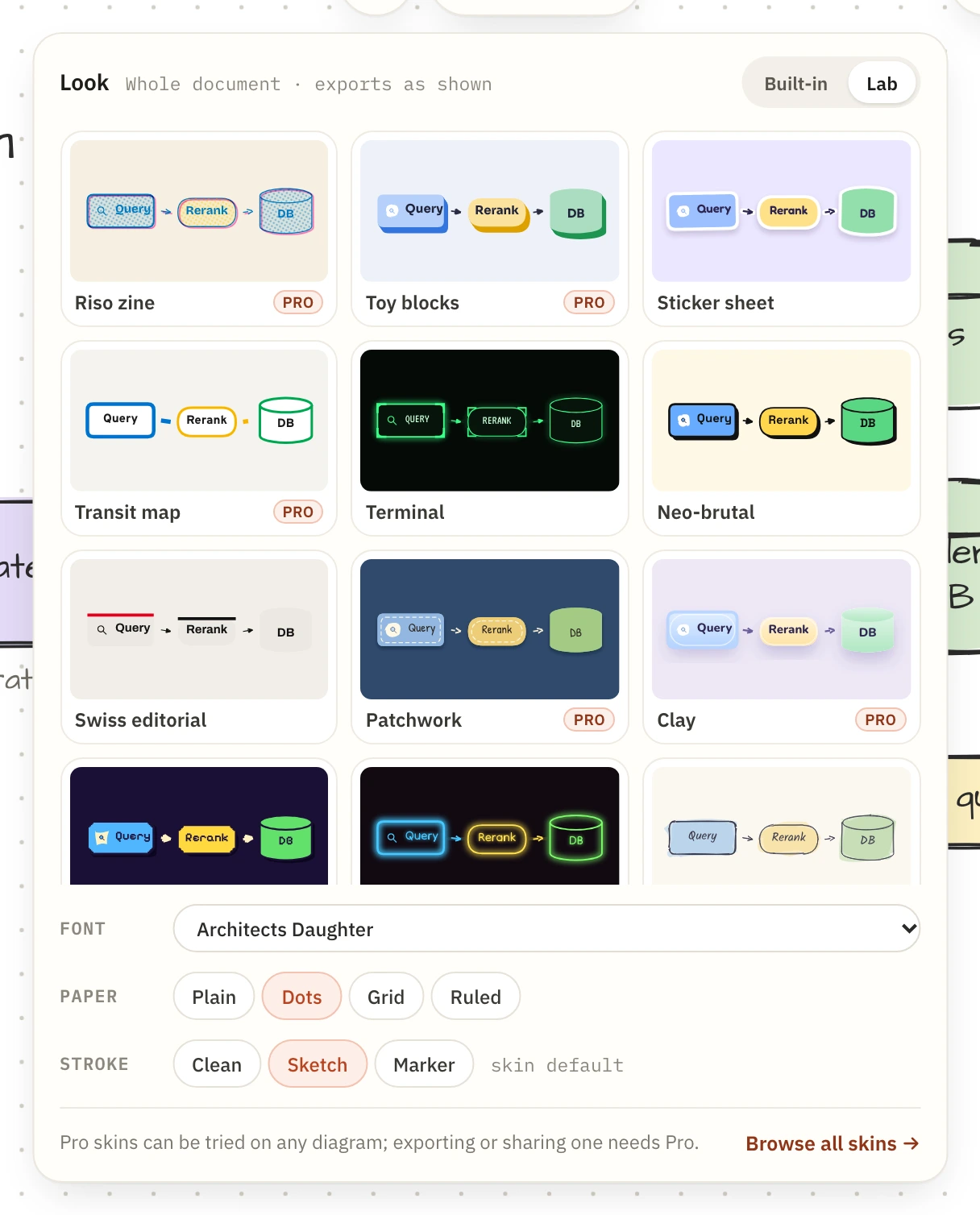
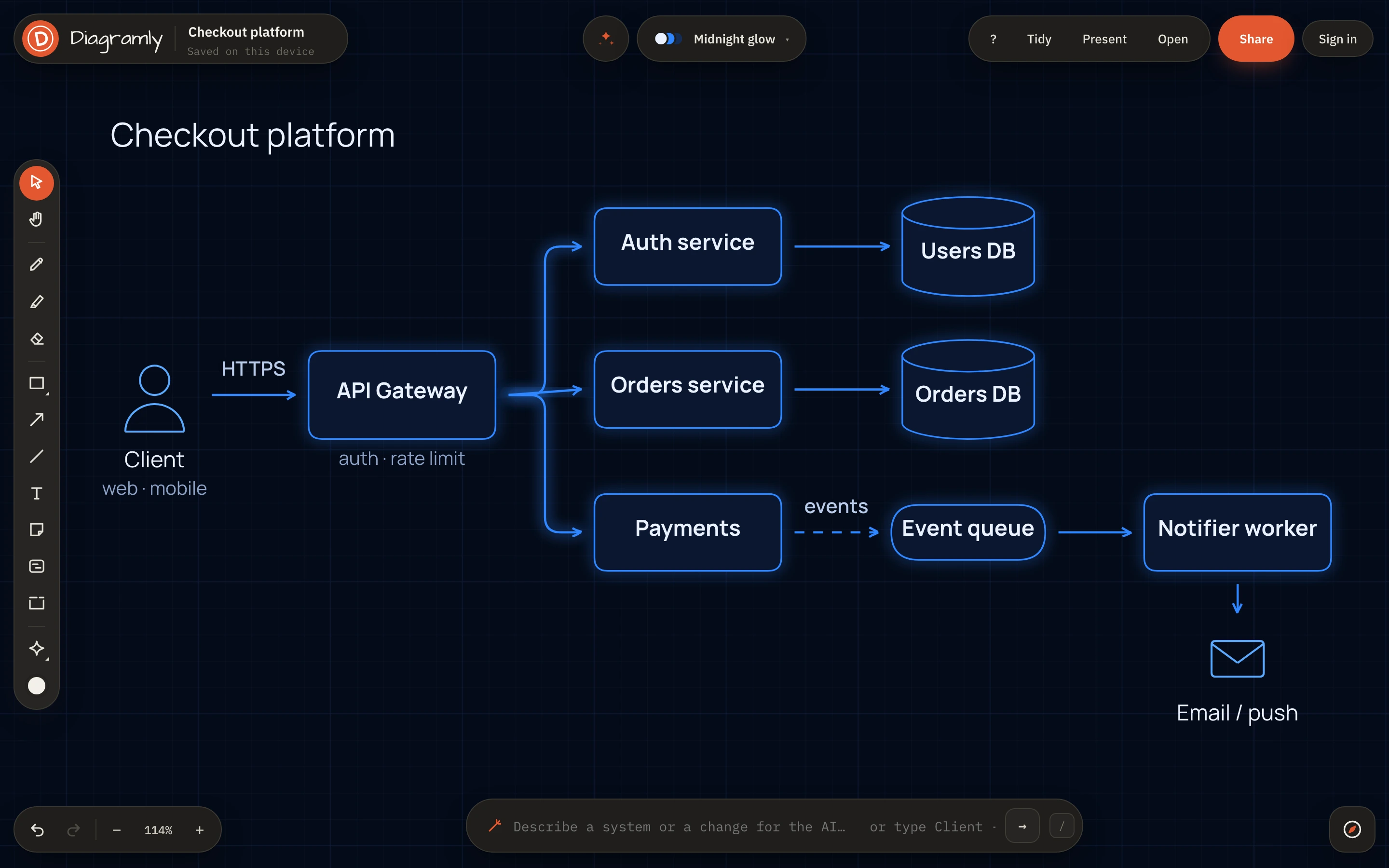
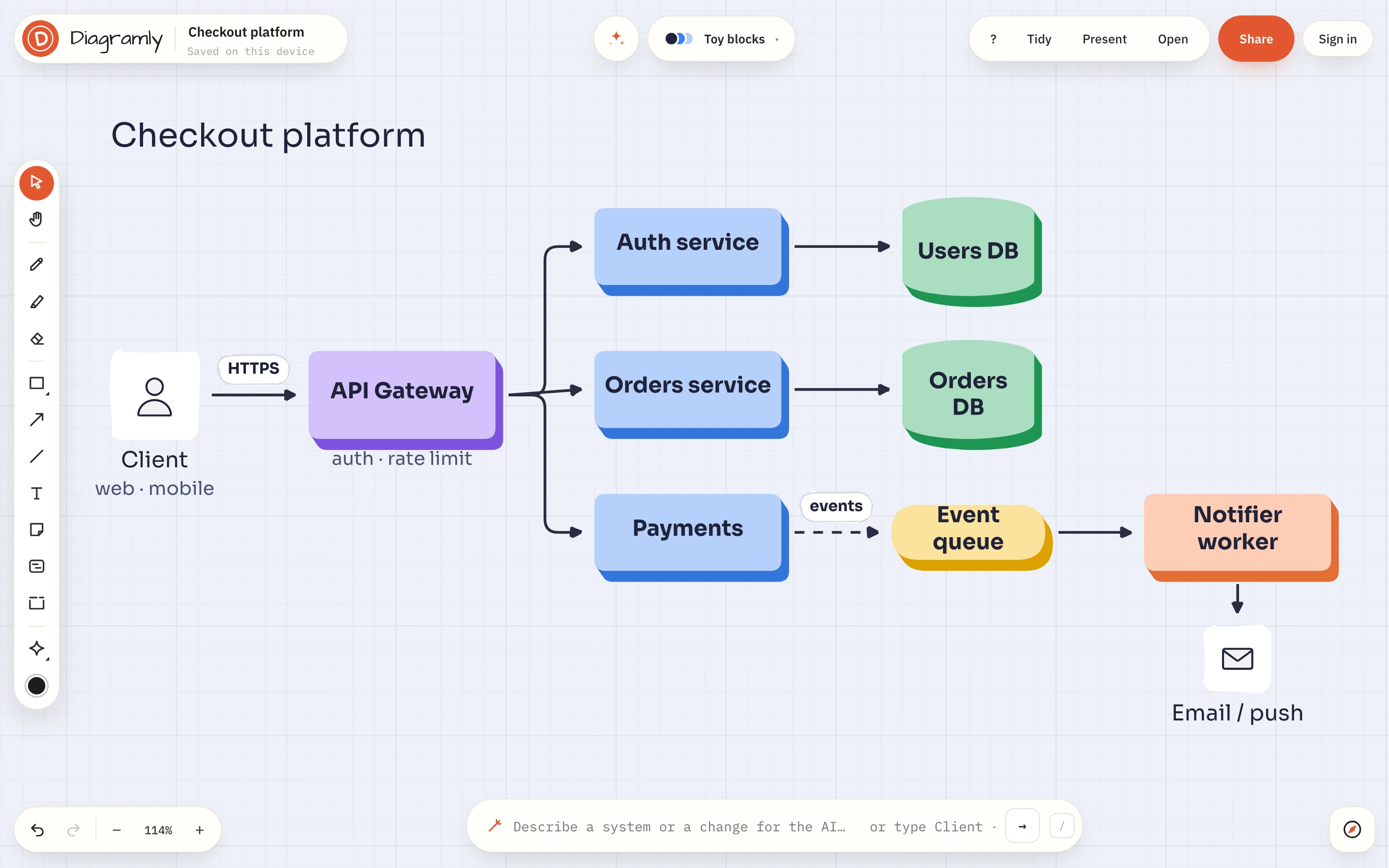
Open Look in the header. The Built-in tab has the six original looks (Paper, Notebook, Blueprint, Chalkboard, Whiteboard marker, Ink & neon) and six new skins: Hand-drawn, Soft SaaS, Pastel tiles, Corporate flat, Midnight glow and Frosted glass. The Lab tab has twelve more, each built around one idea the engine learned for it: Riso zine prints a second ink slightly off-register over halftone fills; Toy blocks extrudes every node into a solid block; Sticker sheet gives each shape a white die-cut border and a small tilt; Transit map turns arrows into thick coloured lines, one per source; Terminal draws corner brackets and scanlines; Neo-brutal, Swiss editorial, Patchwork, Clay, Pixel arcade, Neon sign and Watercolour do what their names say.
Hover a card to see your own diagram in it; click to keep it. The Font, Paper and Stroke rows below the cards still work on top of any skin, so a clean skin can be flipped to sketch strokes, or a hand-drawn one given a grid. The skins page shows all twenty-four on one diagram, and Use in editor opens the canvas already dressed in that look.
Exports keep the look
Twenty Google Fonts are supported and embedded in SVG, PNG and PDF exports, the six you already know plus Figtree, Manrope, Outfit, DM Sans, Sora, Fredoka, Overpass, VT323, Space Grotesk, Archivo, Nunito, Pixelify Sans, Tilt Neon and Bricolage Grotesque. Shadows, glows, halftone screens and the off-register ink travel in the SVG too, so a Riso zine diagram pasted into a document prints as a Riso zine diagram.
Free and Pro
Sixteen of the twenty-four looks are free, including everything in the original six, Soft SaaS, Pastel tiles, Corporate flat, Hand-drawn and six Lab skins. Eight are Pro: Midnight glow, Frosted glass, Riso zine, Toy blocks, Transit map, Patchwork, Clay and Neon sign. Anyone can put a Pro skin on the canvas and work in it; exporting or sharing a diagram drawn in one needs the Pro plan, $6 a month or $48 a year.
The blog itself is drawn by the engine, so the figure above is Soft SaaS live, not a picture of it. Pick a look and send the same diagram everywhere.